
What are persistent cookies?
Unlike session cookies that expire once the browser is closed, the persistent cookies expire on a specified date at specified time or after a specific length of time. Persistent cookies, also known as stored cookies or permanent cookies store data like user preferences, settings and other information for future visits.
The expiration date and time is set by the website and the persistent cookie is written to a computer hard drive as a cookie file. The closing of the browser will not remove the cookie and it may stay in the browser for a longer period of time - until the expiry date and time is reached. Once the expiry is reached - the cookie becomes expired and the browser removes it.
Since these cookies can be stored in a user’s browser for a long period of time, persistent cookies are sometimes referred to as tracking cookies because they can be used by advertisers to track the information about the user's browsing habits or interests over a longer period of time. But, they are also used for other legitimate and useful things such as keeping you logged in on various websites so you don’t have to login entering credentials on every visit, menu preferences, theme selection or language selection.
When a browser sends a request to a website to load a page, the response from the server contains the set-cookie response header containing a key-value pair (in our example on the screenshot below the key is persistent_cookie_sample and the value is allaboutcookies.info), but it also contains an expiry date and time. So, in an example below the cookie was created on Dec 6th 2020 at 23:53 and was set to expire in 7 days on Dec 13th at 23:53.
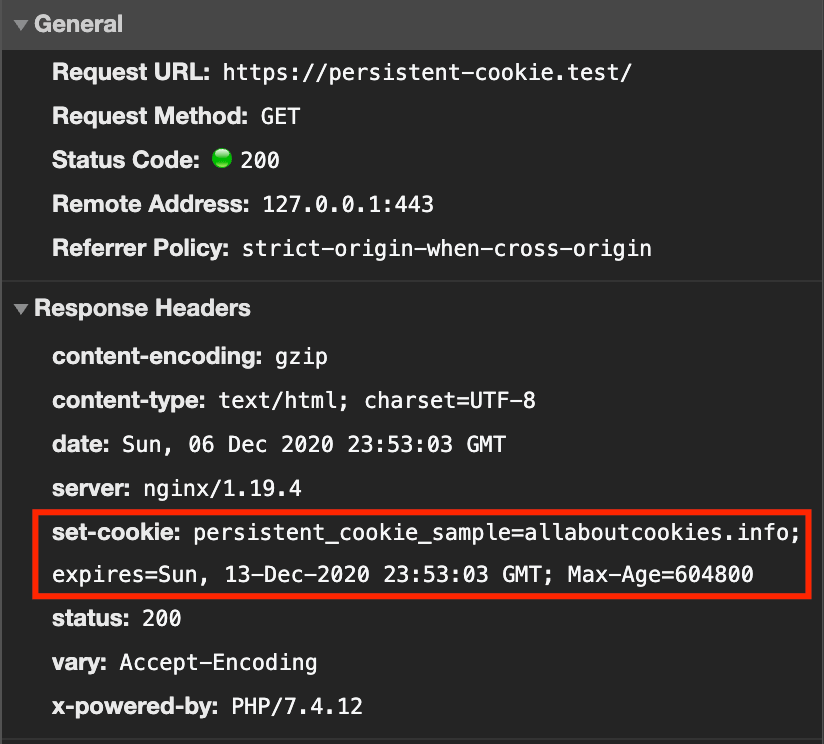
Browser takes this data sent from the website’s web server and saves it as a cookie file. This file can be found within the browser and it looks like this (at least in Chrome or Chromium based browsers):
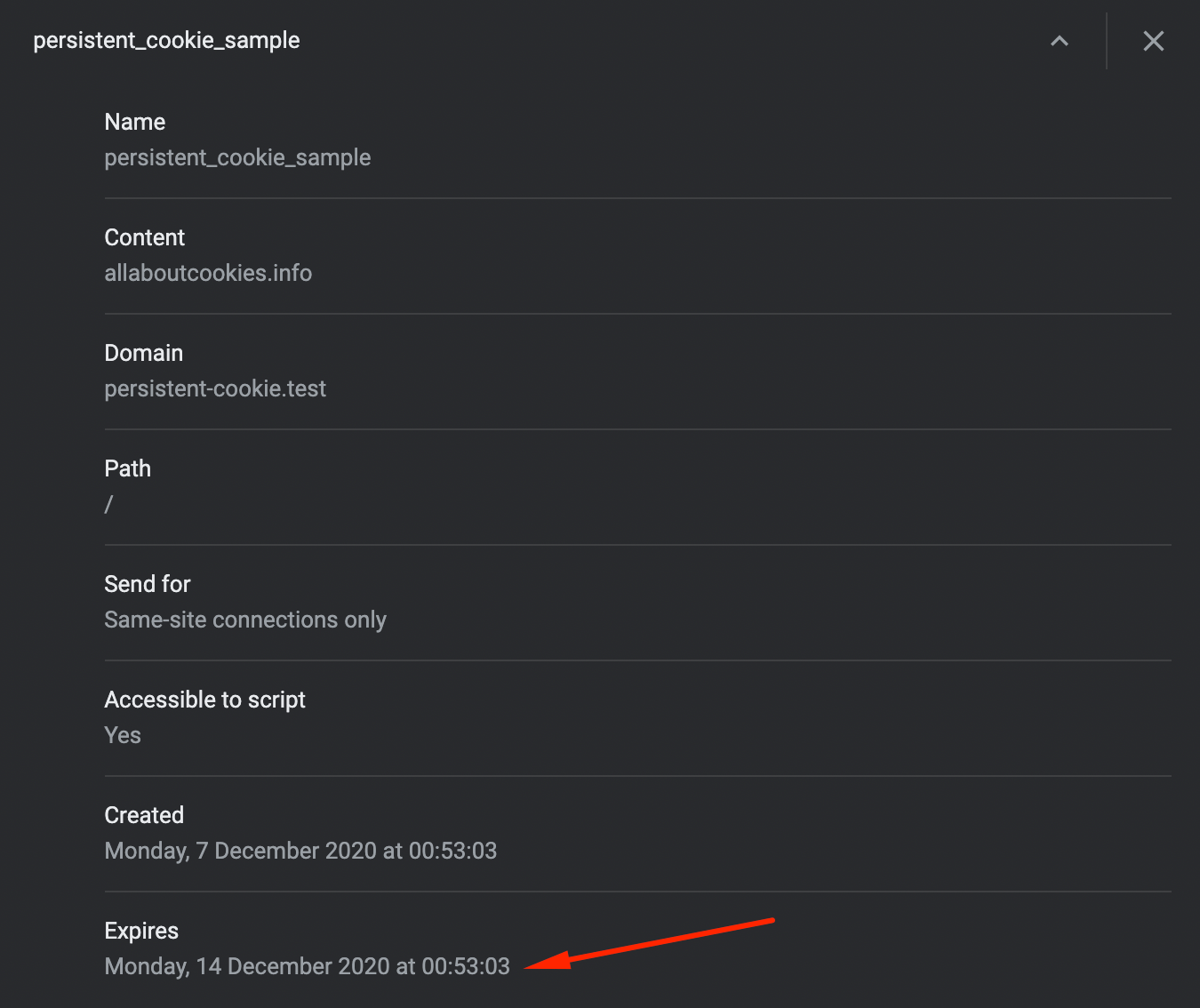
Unlike the session cookie when the Expires field contains no data, persistent cookie keeps the expiry date and time.